
Your Balances
The wallet page shows all your token balances:USDC.e
Bridged USDC on Polygon. This is what you trade with on Polymarket.
USDC
Native USDC (Circle) on Polygon. Swap to USDC.e to trade.
POL
Polygon gas token. Auto-funded by FrenFlow for trading — you don’t need to manage this.
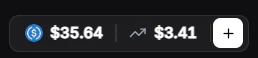
Balance in Header
Your USDC balance is always visible in the top navigation bar. Click it to go to the full wallet view.From Telegram
Use/wallet in the bot to check your balances at any time. Telegram also shows:
- Solana balance — For Kalshi trading via DFlow
- Both USDC.e and USDC native with a swap option