

Overview
Everything you can do with copy trading on the website is also available from the Telegram Bot — browse traders, configure copy settings, manage leaders, and get real-time notifications.1. Browse the Leaderboard
Use/leaders to open the trader leaderboard in Telegram.
You’ll see top traders ranked with:
- PnL (profit)
- Volume
- Win rate
- Number of copiers
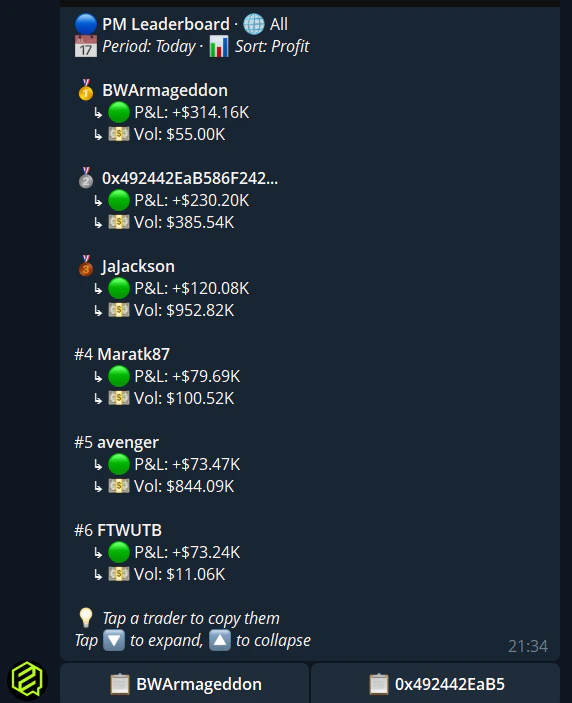
Use the Sort buttons to switch between profit and volume ranking. Navigate pages with the pagination buttons.
2. Start Copying a Trader
1
Select a trader
Tap on any trader in the
/leaders list to see their stats.2
Tap Follow / Copy
Choose to start copying their trades.
3
Choose copy mode
- Fixed — Same dollar amount per trade (e.g., $10)
- Percentage — Percentage of your balance per trade (e.g., 5%)
4
Set your stake
Enter the dollar amount or percentage depending on your chosen mode.
5
Configure sell mode
Choose how to handle when the leader sells:
- Mirror — Exact same action
- Same percentage — Match their sell percentage
- Sell all — Close your full position
- Manual — You handle exits yourself
6
Confirm
Review and confirm. Copy trading starts immediately.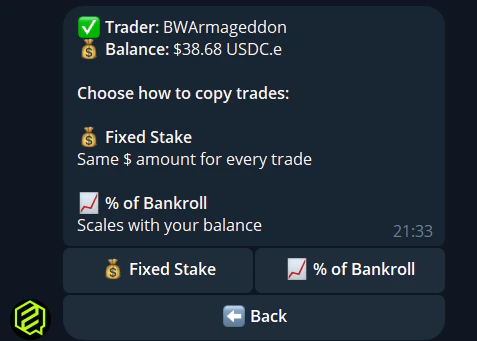
3. Manage Your Leaders
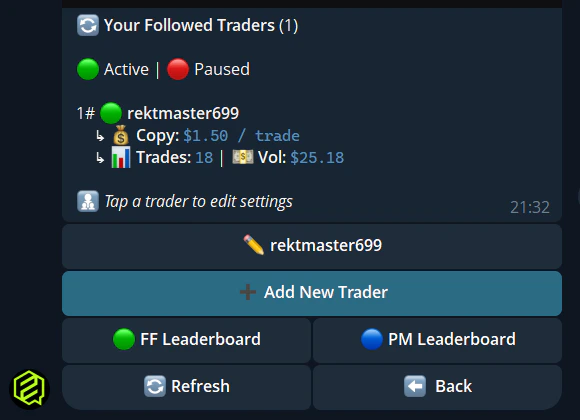
Use/leaders to see all traders you’re currently copying. For each leader you can:
4. Advanced Settings
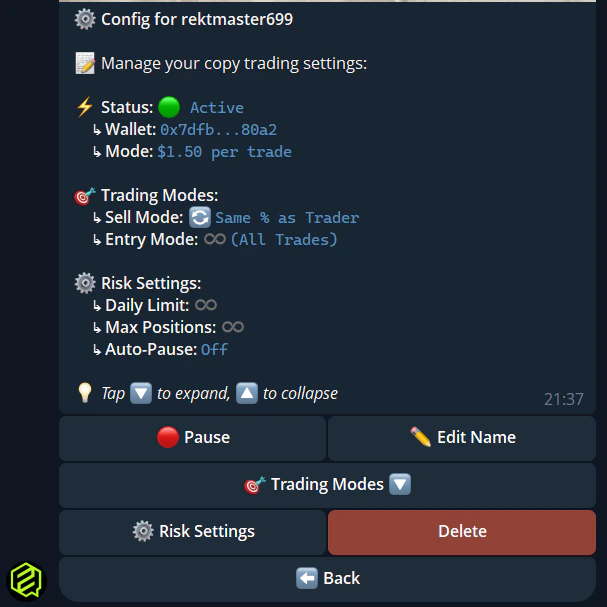
From the leader configuration menu, you can also set:- Entry mode — Copy all entries, first only, or set a max
- Max per trade — Hard cap on any single copy trade
- Max daily volume — Limit total daily copy volume
- Max open positions — Cap simultaneous positions
- Budget cap — Hard cap on total capital deployed
- Trade size filter — Min/max trade size to copy
- Per event / max events — Control exposure per event and total events open
- Auto-pause on loss % — Stop copying if losses exceed a threshold
- Auto-pause on profit % — Stop copying when profit target is reached
- Daily / weekly loss limit — Pause copying at daily or weekly loss caps
- Max slippage — Price tolerance for copies
5. Copy Trade Notifications
When a copy trade executes, the bot sends you a DM with:- Market name and outcome (Yes/No)
- Amount invested and shares received
- Leader who triggered the trade
- Current market price
/notifications.
Quick Reference
Copy trading settings are synced between web and Telegram. Change your stake on the website and it’s reflected in Telegram, and vice versa.