
Trading on FrenFlow
FrenFlow lets you trade on prediction markets from Polymarket and Kalshi through a single, unified interface. Buy and sell shares based on your predictions about real-world events — from elections to crypto prices.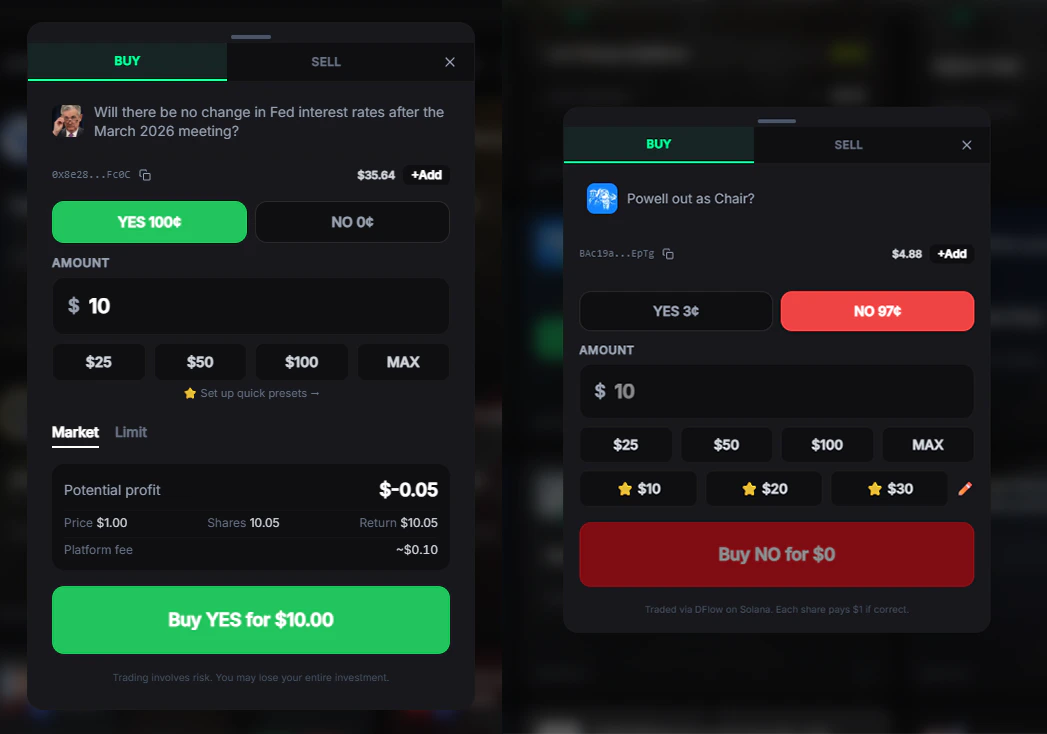
How It Works
Prediction markets work like stocks, but instead of companies, you trade on outcomes. Each market has two sides:
Prices range from 1¢ to 99¢ and represent the market’s implied probability. If you buy Yes at 72¢ and the outcome happens, you receive $1.00 per share — a profit of 28¢ per share.
Getting Started
1
Enable Trading
Go to Settings → Trading and click Enable Trading. This creates your on-chain credentials and approves your wallet for trading. One-time setup, takes about 10 seconds.
2
Fund Your Wallet
Deposit to your FrenFlow wallet. Polymarket uses USDC on Polygon, Kalshi uses USD via Solana.
3
Find a Market
Browse trending markets, search by topic, or check what your frens are trading.
4
Place a Trade
Select an outcome, enter your amount, and confirm. Your trade executes instantly for market orders.
Two Trading Modes
Full Modal
The standard trading interface. See orderbook depth, set limit prices, choose expiration times, and review your trade before confirming.
Quick Trade
Enable Ninja Mode in settings for one-click trading. Pre-set your favorite amounts ($5, $10, $25, etc.) and trade instantly without the modal.
Trade Limits
Trading from Telegram
All trading features are also available from the Telegram Bot. Search markets, place trades, and manage positions — all without leaving Telegram.- Type any text to search markets instantly
- Use
/searchto browse by category - Use
/trendingto see popular markets - Paste a Polymarket URL directly in the chat to get market details and trade buttons
Supported Platforms
Polymarket
Trade with USDC on Polygon. Thousands of markets across all categories. Orders execute on the Polymarket CLOB (Central Limit Order Book).
Kalshi
CFTC-regulated US exchange. Trade via DFlow on Solana. Requires one-time KYC verification.