

What You’ll Do
By the end of this guide, you’ll have a top trader’s trades automatically copying into your account. When they buy, you buy. When they sell, you sell — all hands-free.Before You Start
Make sure you have:- Trading enabled
- At least $20 USDC in your wallet (so copies can execute)
1. Find a Trader to Copy
Go to the Leaderboard and look for a trader that fits your style: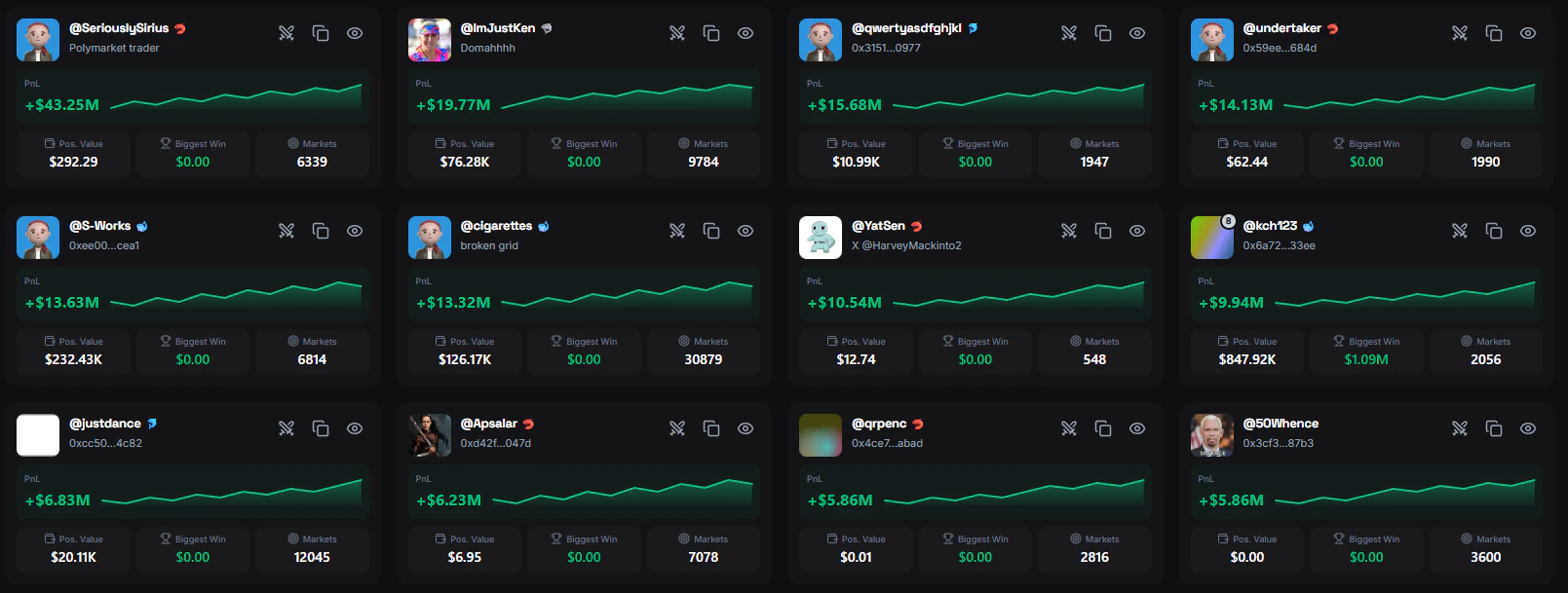
2. Review Their Profile
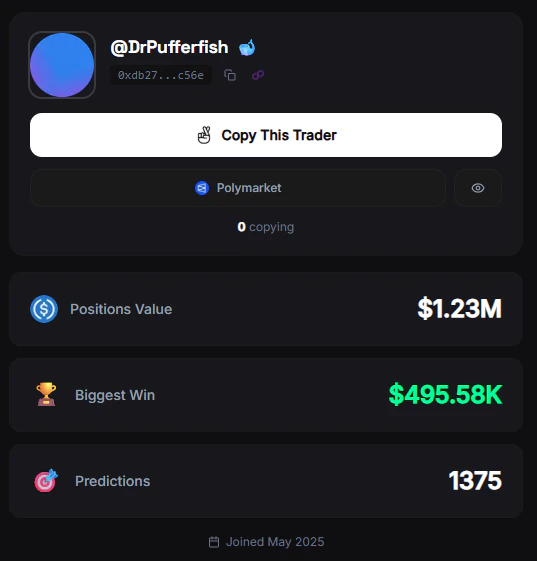
Click on the trader to see their full profile:- PnL chart — Is it trending up or was it one big win?
- Open positions — What are they holding right now?
- Recent trades — Are they active? How often do they trade?
- Category breakdown — Do they specialize in crypto, politics, sports?
3. Start Copying
1
Click Copy Trader
On their profile, click the Copy This Trader button.
2
Choose your copy mode
- Fixed amount — Spend the same $ on every copy (e.g., $10 per trade). Best for beginners.
- Percentage — Spend a % of your balance per trade. Scales automatically.
3
Set a max per trade
Safety cap. Set it to your fixed amount for now (e.g., $10).
4
Choose sell mode
- Same percentage (recommended) — If the leader sells 50% of their position, you sell 50% of yours.
- Manual — You control all exits yourself.
5
Confirm
Click Start Copying. FrenFlow immediately begins monitoring this trader.
4. What Happens Now
FrenFlow monitors the leader’s trades 24/7. When they trade:- Detection — FrenFlow detects the trade (often before it confirms on-chain via Zero-Block)
- Risk checks — Verifies you have enough balance, checks slippage
- Execution — Places the same trade in your account
- Notification — You get notified via web/Telegram
5. Monitor Your Copies
Check your copied positions:- Portfolio → Positions — See all positions including copies
- Portfolio → History — Copy trades are marked with a copy icon and show the leader’s name
- Leaderboard → Leaders you follow — See all traders you’re copying
6. Adjust or Stop
Not happy with the results? You can:- Edit settings — Click ⚙️ next to “Copying” on their profile to change amounts, sell mode, etc.
- Stop copying — Click the “Copying” button to unfollow
From Telegram
You can do all of this from the Telegram Bot:Pro Tips
Copy 2-3 traders, not just one
Copy 2-3 traders, not just one
Diversify across traders with different strategies. If one has a bad week, the others may compensate.
Set a daily volume limit
Set a daily volume limit
In Copy Trading Settings, set a max daily volume (e.g., $50/day) to prevent a hyperactive leader from draining your balance.
Use the Wallet Tracker first
Use the Wallet Tracker first
Not sure about a trader? Track their wallet first to watch their trades for a week before committing to copy.
Check your copies daily
Check your copies daily
Even with auto-sell, review your positions regularly. Markets change, and a winning trader last month might be losing this month.