

The Bot as Your Alert Center
The Telegram bot sends you real-time notifications for everything that matters — trade executions, price targets, wallet activity, and more. Set it up once and never miss an important event.1. Price Alerts
Get notified when a market hits your target price.Creating an Alert
1
Find a market
Search for any market in the bot (type text or use
/search).2
Tap the alert icon
On the market detail view, tap the alert button.
3
Choose the outcome
Yes or No — which side are you watching?
4
Set the condition
Above or below your target price.
5
Set the price
Enter your target (1¢ to 99¢).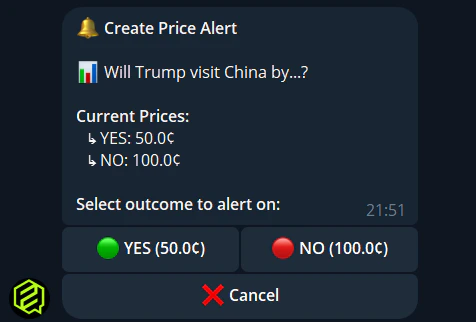
Managing Alerts
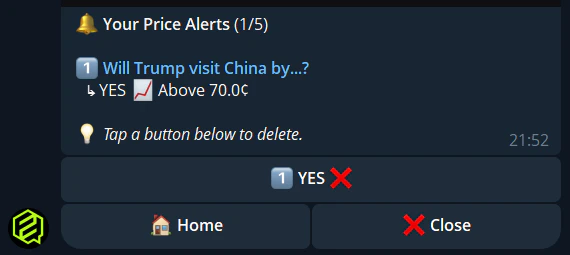
From the alerts view, you can delete any alert to free up slots (max 5 active).
2. Wallet Tracker Alerts
Track any Polymarket wallet and get notified when they trade: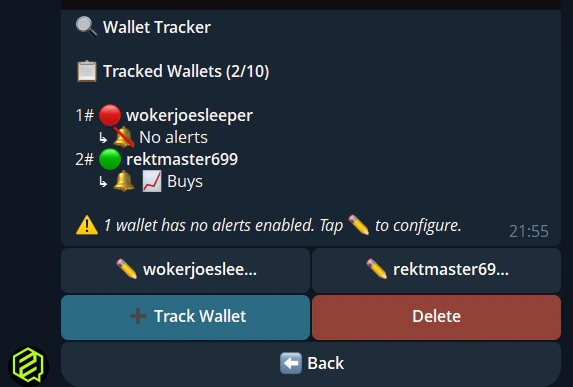
For each tracked wallet, you can toggle:
- Buy alerts — When the wallet buys shares
- Sell alerts — When the wallet sells
/tracking → Settings to configure.
3. Trading Notifications
The bot automatically notifies you about your own trading events. Configure what you receive with/notifications:
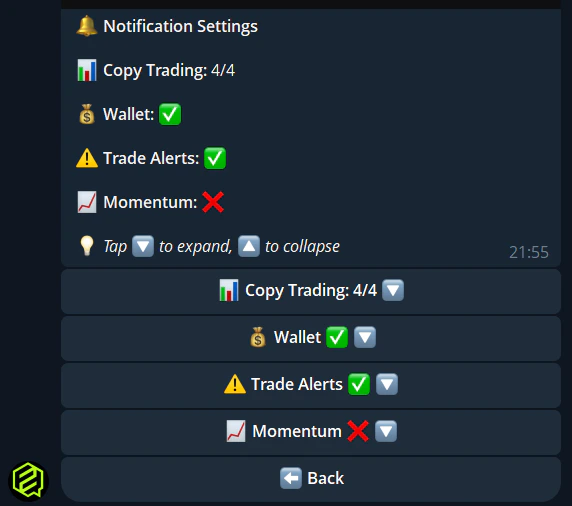
4. Momentum Alerts
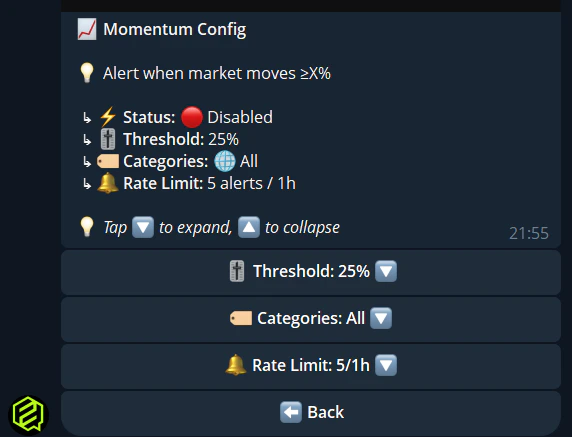
Get notified when markets move significantly. Configure from/notifications → Momentum:
5. Quick Toggle
Use/notifications to see all toggles in one view:
- Enable all — Turn on every notification type
- Disable all — Silence everything
- Per-type toggles — Fine-tune exactly what you want
Tips
Don't over-alert
Don't over-alert
Start with the essentials: copy trade executions, price alerts, and low balance. Add more as needed. Too many alerts and you’ll start ignoring them.
Use momentum alerts wisely
Use momentum alerts wisely
Set a reasonable threshold (10%+) and limit max alerts per window. Otherwise you’ll get spammed during volatile periods.
Combine tracker + price alerts
Combine tracker + price alerts
Track a whale’s wallet AND set price alerts on the markets they’re trading. You’ll know both when they trade and when the price moves.
Mute the bot, don't disable
Mute the bot, don't disable
If you need a break from notifications, mute the bot in Telegram’s chat settings instead of disabling all alerts. Your alerts stay configured for when you unmute.