
Finding Leaders
You can find traders to copy from several places:- Leaderboard — Ranked by PnL, volume, win rate, and more
- Trader Profiles — Visit any trader’s profile to see their full history
- Social Feed — See what traders your frens are copying
- Wallet Tracker — Track a wallet first, then decide to copy
Start Copying
1
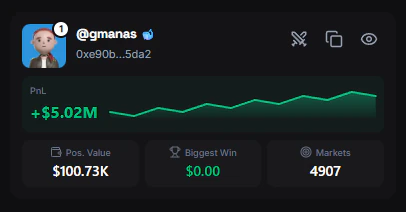
Open the trader's profile
Click on any trader from the leaderboard or search by username/wallet address.
2
Click Copy Trader
The Copy Trader button appears on their profile page (and in the sticky header when scrolling).
3
Configure your settings
The Copy Trader modal opens. Set your:
- Copy mode — Fixed amount or percentage of balance
- Amount — How much per trade
- Max per trade — Safety cap
- Sell settings — How to handle when the leader sells
4
Confirm
Click Start Copying. FrenFlow immediately begins monitoring the leader’s trades.
Managing Your Leaders
Once you’re copying a trader, you can:- Edit settings — Click the ⚙️ icon next to “Copying” on their profile to adjust your copy configuration
- Pause/Resume — Temporarily stop copying without losing your settings
- Stop copying — Click the “Copying” button on their profile to unfollow completely
Stopping a copy does not close your positions. If you want to exit the positions the leader got you into, you need to sell them manually.
From Telegram
You can find and copy traders directly from the Telegram bot:- Browse the leaderboard inside Telegram to discover top traders
- Start copying directly from the bot — no need to switch to the website