

Why Link?
Linking your web and Telegram accounts gives you a single FrenFlow identity across both platforms:- Same wallet — One balance, no need to fund two wallets
- Same positions — Trades from web show in Telegram and vice versa
- Same settings — Copy trading configs, risk limits, notifications
- Same portfolio — Unified history, PnL, and stats
Option 1: Link from Telegram → Web
If you started on the Telegram bot and want to use the website:1
Open /account
Use
/account in the bot or tap Account in the main menu.2
Tap Connect Wallet
The bot shows a 🔐 Connect with Privy button that opens a Mini App inside Telegram.
3
Authenticate
Sign in with email, Google, wallet, or Twitter. This creates or links your FrenFlow web account.
4
Done
Your accounts are now linked. The bot confirms with your wallet address. You can log in on frenflow.com with the same method.
Option 2: Link from Web → Telegram
If you already have a FrenFlow account on the website:1
Go to Settings
On the website, navigate to Settings.
2
Link Telegram
Under Linked Accounts, click the Telegram option. This uses Privy’s native Telegram linking flow.
3
Authorize
Authenticate with your Telegram account through the Privy dialog.
4
Open the bot
Go to @FrenFlowBot and tap Start. Your account is now linked — the bot shows your existing balance and positions.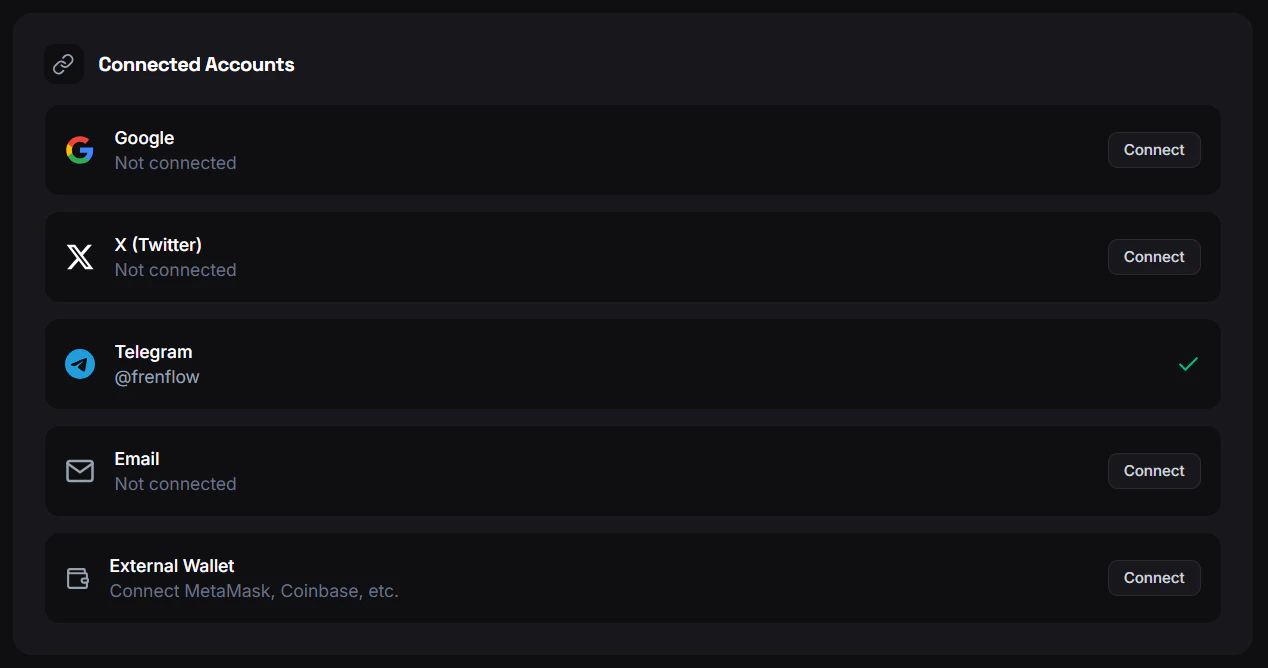
What Syncs Automatically
What Doesn’t Sync
Unlinking
- Use
/accountin the bot - Tap Disconnect Wallet
- Confirm
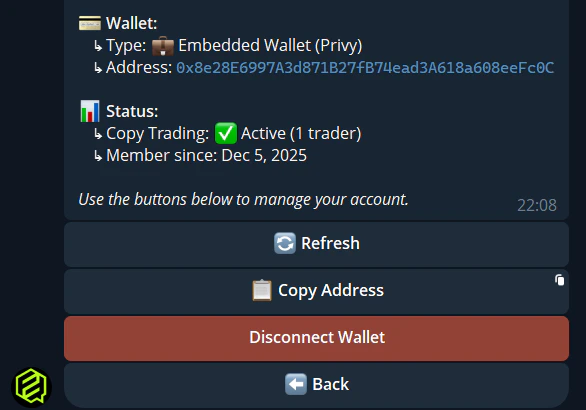
Unlinking does not delete your wallet or funds. It only disconnects the Telegram session from your web account. You can re-link anytime.
Troubleshooting
I linked but the bot shows a different balance
I linked but the bot shows a different balance
Tap Refresh in
/wallet. If it persists, use /account to verify which account is connected. You may have linked to a different email/wallet than expected.I can't link — 'account already linked'
I can't link — 'account already linked'
Your Telegram is already connected to another FrenFlow account. Use
/account in the bot to see which one. You need to unlink from that account first.My positions don't show in Telegram
My positions don't show in Telegram
Make sure trading is enabled on the linked account. Use
/enabletrading if needed. Positions should appear in /positions once the accounts are properly linked.