
Adding a Wallet
1
Go to Wallet Tracker
Navigate to the Wallet Tracker page from the sidebar.
2
Enter wallet address
Paste any Polymarket wallet address (0x…).
3
Add a label (optional)
Give the wallet a custom name (e.g., “Whale #1”, “That crypto guy”) for easy identification.
4
Configure alerts
Choose whether to get notified on buys, sells, or both.
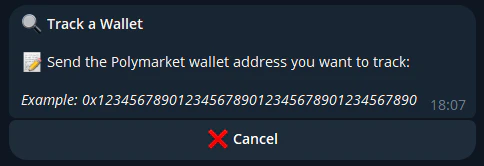
From Telegram
You can also add wallets from the Telegram bot:Managing Tracked Wallets
- Edit label — Rename any tracked wallet
- Toggle alerts — Turn buy/sell notifications on or off per wallet
- Remove — Stop tracking a wallet at any time
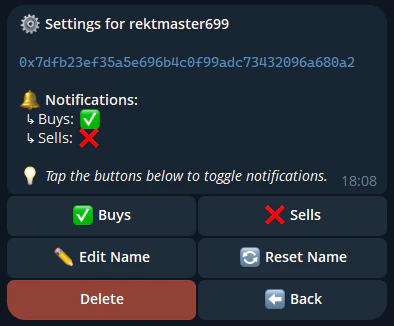
/tracking command in Telegram or from the Wallet Tracker page on web.