
What is Copy Trading?
Copy trading lets you automatically mirror the trades of top performers. When a leader buys or sells on Polymarket, FrenFlow detects the trade in real-time and executes the same trade in your account — within seconds.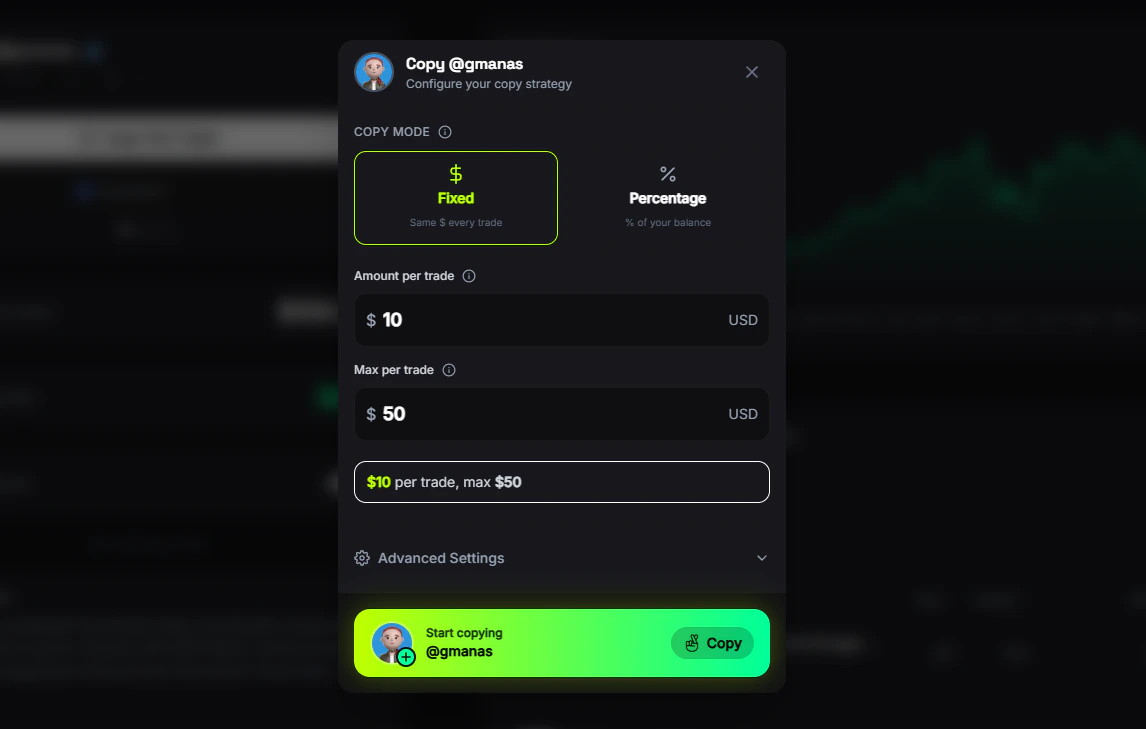
How It Works
1
Choose a leader
Browse the Leaderboard or visit a trader’s profile. Look at their PnL, win rate, and trading history.
2
Configure your settings
Set how much to invest per trade — a fixed dollar amount or a percentage of your balance. Set risk limits and sell preferences. See Settings for all options.
3
Start copying
Click Copy Trader on their profile. FrenFlow begins monitoring their trades in real-time.
4
Trades execute automatically
When the leader trades, FrenFlow detects it and places the same trade in your account. You get notified of every copy.
The Pipeline
FrenFlow uses multiple detection methods running simultaneously to catch leader trades as fast as possible: The fastest detection wins. Three methods race simultaneously:
The first detection triggers the copy. Duplicates are automatically prevented — if two methods detect the same trade, only the first one executes.
What Gets Copied
Safety Features
Slippage Protection
If the price moves too much between the leader’s trade and your copy, the trade is skipped. Tiered slippage lets you set different tolerances by token price range.
Balance Checks
Every copy trade checks your balance first. If you don’t have enough USDC, the trade is skipped and you’re notified.
Volume & Budget Limits
Set daily volume caps, budget limits on total deployed capital, and per-event exposure limits.
Auto-Pause on P&L
Automatically pause copying when losses or profits exceed your thresholds — by percentage, daily amount, or weekly amount.
Trade Size Filter
Set min/max trade sizes to only copy trades within a specific range. Ignore dust trades and outsized moves.
Exposure Controls
Limit how many events you’re exposed to simultaneously and cap your spend per event.
Requirements
Before you can copy trade, you need:- Trading enabled — Go to Settings → Trading and enable trading (one-time setup)
- USDC balance — Fund your wallet with enough USDC to cover trades
- A leader to follow — Find one on the Leaderboard or follow a trader from their profile