
Before You Trade
You need USDC on Polygon in your FrenFlow wallet to trade on Polymarket. This guide covers every way to get funds in.Option 1: Bridge from Any Chain (Easiest)
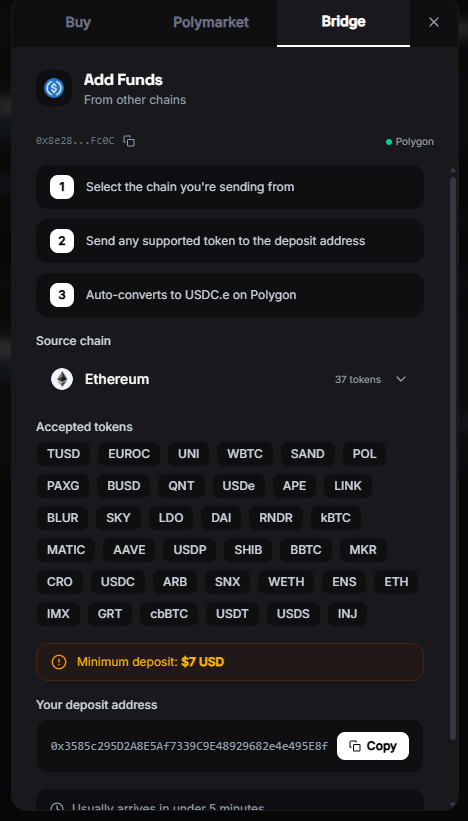
FrenFlow includes the Polymarket Bridge, which converts funds from 15+ blockchains directly to USDC.e on Polygon.1
Open the deposit flow
Click the + button in the header, or find Add Funds in the sidebar.
2
Choose the bridge
Select Bridge to open the Polymarket Bridge widget.
3
Select source chain and token
Pick where your funds are:
- Ethereum — ETH, USDC, USDT
- Arbitrum — ETH, USDC, ARB
- Base — ETH, USDC
- Solana — SOL, USDC
- And 10+ more chains
4
Enter amount and confirm
Enter how much to bridge. The widget shows the estimated amount you’ll receive in USDC.e on Polygon. Confirm and approve the transaction in your external wallet.
5
Wait for confirmation
Bridging takes 1–10 minutes depending on the source chain. Your FrenFlow balance updates automatically.
Option 2: Send from an Exchange
If you have USDC on a centralized exchange (Coinbase, Binance, Kraken, etc.):1
Copy your wallet address
Go to Settings → Wallet and copy your Polygon wallet address.
2
Withdraw from your exchange
On your exchange, withdraw USDC and select the Polygon network. Paste your FrenFlow wallet address.
3
Wait for arrival
Exchange withdrawals typically arrive in 1–5 minutes on Polygon.
Option 3: Transfer from Another Wallet
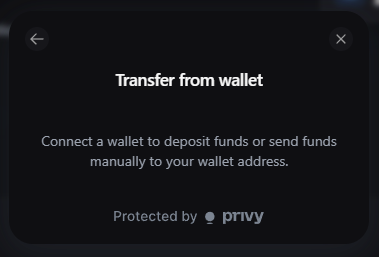
If you already have USDC or USDC.e on Polygon in MetaMask, Rabby, or any wallet:- Copy your FrenFlow wallet address from Settings → Wallet
- Send USDC or USDC.e on Polygon to that address
- Balance updates in seconds
USDC vs USDC.e
Polymarket uses USDC.e (bridged USDC) for trading. FrenFlow handles the conversion:
If you deposit native USDC, FrenFlow shows both balances and provides a one-click swap to USDC.e. You can also swap manually from Settings → Wallet → Swap to USDC.e.
Funding for Kalshi (Solana)
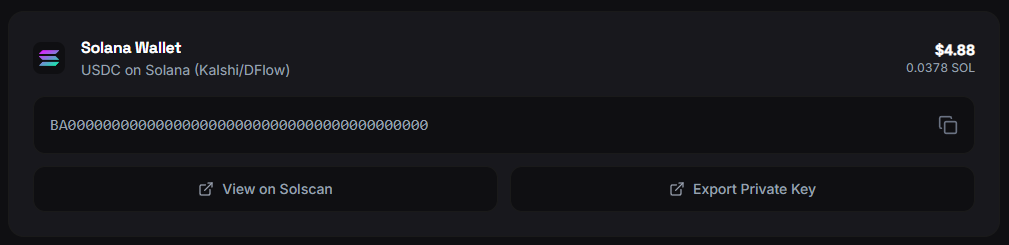
Kalshi markets on FrenFlow use USDC on Solana via DFlow. If you want to trade Kalshi:- Your Solana wallet address is shown in Settings → Wallet (below the Polygon wallet)
- Send USDC on Solana to that address
- Kalshi and Polymarket wallets are separate — fund each one independently
Minimum Amounts
Troubleshooting
I sent USDC but my balance didn't update
I sent USDC but my balance didn't update
Check that you sent on the Polygon network. If you sent on Ethereum or another chain, you’ll need to bridge it. Your funds are safe — just on the wrong network.
I have USDC but can't trade
I have USDC but can't trade
You likely have native USDC but need USDC.e for Polymarket. Go to Settings → Wallet → Swap to USDC.e.
Bridge transaction stuck
Bridge transaction stuck
Bridges can take up to 15 minutes on congested networks. If it’s been longer, check the bridge transaction on the source chain’s block explorer.
How do I know which USDC I have?
How do I know which USDC I have?
Check Settings → Wallet. Both balances are shown separately: USDC (native) and USDC.e (bridged/Polymarket).