
What You’ll Do
Track any Polymarket wallet address to see their trades in real-time and get notified when they buy or sell. Perfect for watching whales, top traders, or any wallet whose strategy interests you.1. Find a Wallet to Track
You can get wallet addresses from:2. Add the Wallet (Telegram)
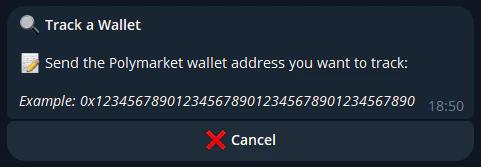
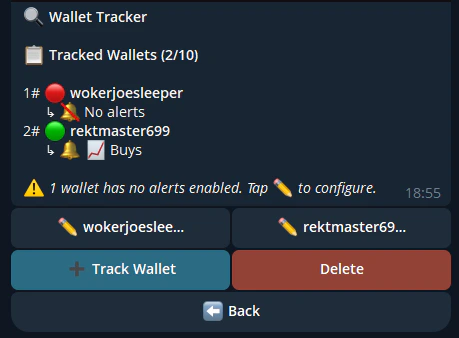
Add a wallet from the bot:/tracking to see all your tracked wallets.
3. Get Alerts
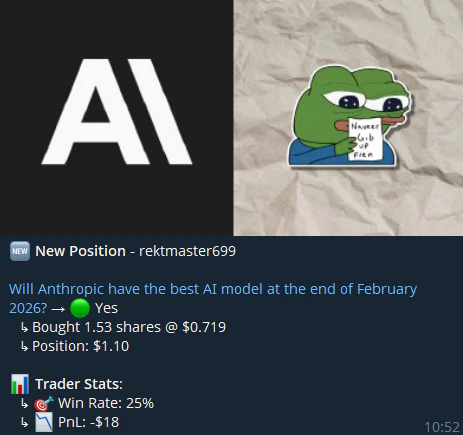
When the tracked wallet trades, you’ll receive:- Telegram DM — Instant notification from the FrenFlow bot with trade details, market link, and quick-trade buttons
4. Act on Alerts
When you see an interesting trade from a tracked wallet:- Quick trade — Click through the alert to open the same market and trade
- Copy-trade — If you want to auto-copy this wallet, consider setting up Copy Trading on that trader
Managing Your Trackers
Tips
Track before you copy
Track before you copy
Watch a wallet’s trades for a few days before committing to copy trading. This lets you evaluate their strategy risk-free.
Label your wallets clearly
Label your wallets clearly
After a few tracked wallets, addresses all look the same. Good labels save you time.
Don't over-track
Don't over-track
Tracking 50 wallets means constant notifications. Start with 3-5 high-quality wallets and add more as needed.