> ## Documentation Index
> Fetch the complete documentation index at: https://docs.frenflow.com/llms.txt
> Use this file to discover all available pages before exploring further.
# Wallet Balances
> Understand your FrenFlow wallet balances. USDC vs USDC.e, native vs bridged, and how to swap between them.
 ## Your Balances
The wallet page shows all your token balances:
Bridged USDC on Polygon. **This is what you trade with** on Polymarket.
Native USDC (Circle) on Polygon. Swap to USDC.e to trade.
Polygon gas token. Auto-funded by FrenFlow for trading — you don't need to manage this.
## Balance in Header
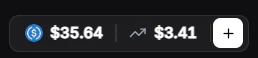
Your USDC balance is always visible in the top navigation bar. Click it to go to the full wallet view.
If you have USDC native but not USDC.e, use the **Swap** button on the wallet page. Polymarket only accepts USDC.e for trading.
## From Telegram
Use `/wallet` in the bot to check your balances at any time. Telegram also shows:
* **Solana balance** — For Kalshi trading via DFlow
* Both USDC.e and USDC native with a swap option
## Your Balances
The wallet page shows all your token balances:
Bridged USDC on Polygon. **This is what you trade with** on Polymarket.
Native USDC (Circle) on Polygon. Swap to USDC.e to trade.
Polygon gas token. Auto-funded by FrenFlow for trading — you don't need to manage this.
## Balance in Header
Your USDC balance is always visible in the top navigation bar. Click it to go to the full wallet view.
If you have USDC native but not USDC.e, use the **Swap** button on the wallet page. Polymarket only accepts USDC.e for trading.
## From Telegram
Use `/wallet` in the bot to check your balances at any time. Telegram also shows:
* **Solana balance** — For Kalshi trading via DFlow
* Both USDC.e and USDC native with a swap option