> ## Documentation Index
> Fetch the complete documentation index at: https://docs.frenflow.com/llms.txt
> Use this file to discover all available pages before exploring further.
# Quick Buy Settings
> Set up preset dollar amounts for one-click trading on FrenFlow. Configure up to 3 quick buy buttons for instant trades.
 ## Quick Buy Amounts
Customize the quick-buy buttons that appear in the trading interface. Set up to 3 preset dollar amounts for one-click trading.
## How to Configure
Navigate to Settings → Trading.
Enter up to 3 dollar amounts (e.g., \$5, \$25, \$100).
Your quick-buy buttons are updated across the platform.
## Where Quick Buy Appears
Quick-buy buttons show up in:
* **Trading panel** — On market detail pages
* **Ninja Mode** — One-click trading without the full modal
## Tips
Set your smallest amount to something you're comfortable losing. \$5 is a good starting point for new traders.
As you get more confident, increase your preset amounts. Many active traders use \$10, \$50, \$100.
## From Telegram
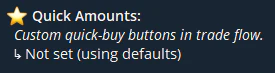
Configure quick-buy amounts from the bot with `/settings` → **Quick Amounts**. The same amounts appear as buttons when trading in Telegram.
## Quick Buy Amounts
Customize the quick-buy buttons that appear in the trading interface. Set up to 3 preset dollar amounts for one-click trading.
## How to Configure
Navigate to Settings → Trading.
Enter up to 3 dollar amounts (e.g., \$5, \$25, \$100).
Your quick-buy buttons are updated across the platform.
## Where Quick Buy Appears
Quick-buy buttons show up in:
* **Trading panel** — On market detail pages
* **Ninja Mode** — One-click trading without the full modal
## Tips
Set your smallest amount to something you're comfortable losing. \$5 is a good starting point for new traders.
As you get more confident, increase your preset amounts. Many active traders use \$10, \$50, \$100.
## From Telegram
Configure quick-buy amounts from the bot with `/settings` → **Quick Amounts**. The same amounts appear as buttons when trading in Telegram.