> ## Documentation Index
> Fetch the complete documentation index at: https://docs.frenflow.com/llms.txt
> Use this file to discover all available pages before exploring further.
# Trade History
> View your complete prediction market trading history. All past trades, settlements, and resolved positions in one place.
 ## Trade History
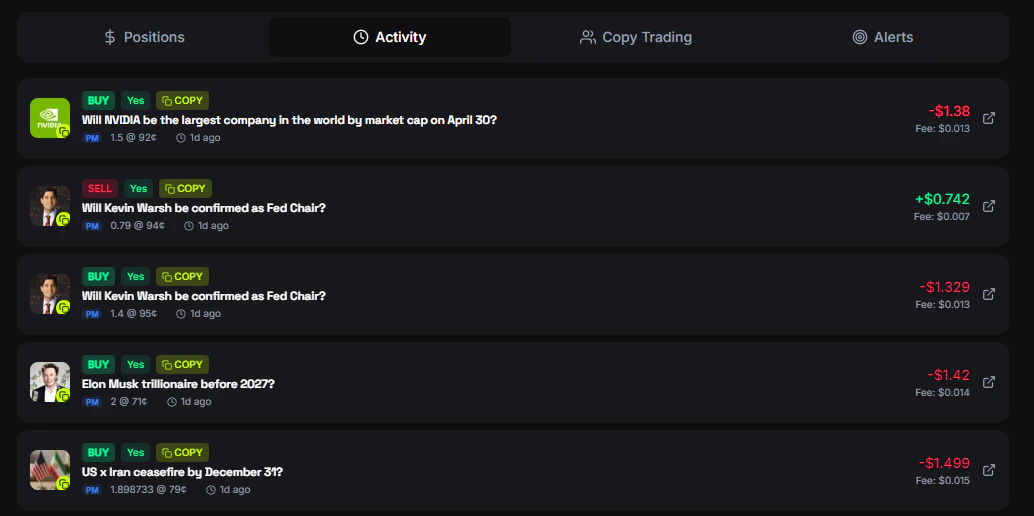
The Activity tab in your portfolio shows a chronological feed of all your trading activity.
## Activity Types
Every buy and sell with amount, price, and shares.
Automatically placed by copy trading — marked with a copy icon and the leader's name.
Markets that ended with your outcome. Did you win or lose?
Winnings claimed from resolved markets.
## Activity Details
Each entry shows:
| Data | Description |
| ---------- | --------------------------------------------- |
| **Market** | Market title and outcome |
| **Action** | Buy, Sell, or Resolve |
| **Amount** | USD spent or received |
| **Price** | Execution price per share |
| **Shares** | Number of shares traded |
| **Time** | When the trade happened |
| **Source** | Manual trade or copy trade (with leader name) |
## Filtering
Filter your history by:
* **Type** — Trades, copy trades, or all
* **Market** — Search for a specific market
* **Time** — Recent activity shown first
## From Telegram
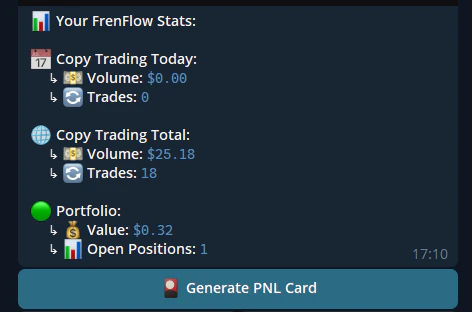
Use `/stats` in the bot to see a summary of your trading activity — total volume, number of trades, PnL, and more.
## Trade History
The Activity tab in your portfolio shows a chronological feed of all your trading activity.
## Activity Types
Every buy and sell with amount, price, and shares.
Automatically placed by copy trading — marked with a copy icon and the leader's name.
Markets that ended with your outcome. Did you win or lose?
Winnings claimed from resolved markets.
## Activity Details
Each entry shows:
| Data | Description |
| ---------- | --------------------------------------------- |
| **Market** | Market title and outcome |
| **Action** | Buy, Sell, or Resolve |
| **Amount** | USD spent or received |
| **Price** | Execution price per share |
| **Shares** | Number of shares traded |
| **Time** | When the trade happened |
| **Source** | Manual trade or copy trade (with leader name) |
## Filtering
Filter your history by:
* **Type** — Trades, copy trades, or all
* **Market** — Search for a specific market
* **Time** — Recent activity shown first
## From Telegram
Use `/stats` in the bot to see a summary of your trading activity — total volume, number of trades, PnL, and more.