> ## Documentation Index
> Fetch the complete documentation index at: https://docs.frenflow.com/llms.txt
> Use this file to discover all available pages before exploring further.
# How to Sell & Redeem Positions
> Step-by-step guide to selling your prediction market positions and redeeming winning shares for USDC on FrenFlow.
 ## Two Ways to Exit
You have two ways to get USDC back from a prediction market position:
| Method | When | What happens |
| ---------- | ---------------------- | --------------------------------------------- |
| **Sell** | Market is still active | Sell shares at current price to other traders |
| **Redeem** | Market has resolved | Collect \$1.00 per winning share |
## Selling a Position
### From the Web
Open [frenflow.com/portfolio](https://frenflow.com/portfolio) and find your position in the **Positions** tab.
Click the **Sell** button on the position card.
Enter the number of shares to sell, or use the quick buttons:
* **25%** / **50%** / **75%** / **100%** of your position
* Or type a custom amount
* **Market** (default) — sells instantly at best bid. Recommended for most cases.
* **Limit** — set your own price. Better price but may not fill.
Click **Sell**. USDC arrives in your wallet within seconds.
## Two Ways to Exit
You have two ways to get USDC back from a prediction market position:
| Method | When | What happens |
| ---------- | ---------------------- | --------------------------------------------- |
| **Sell** | Market is still active | Sell shares at current price to other traders |
| **Redeem** | Market has resolved | Collect \$1.00 per winning share |
## Selling a Position
### From the Web
Open [frenflow.com/portfolio](https://frenflow.com/portfolio) and find your position in the **Positions** tab.
Click the **Sell** button on the position card.
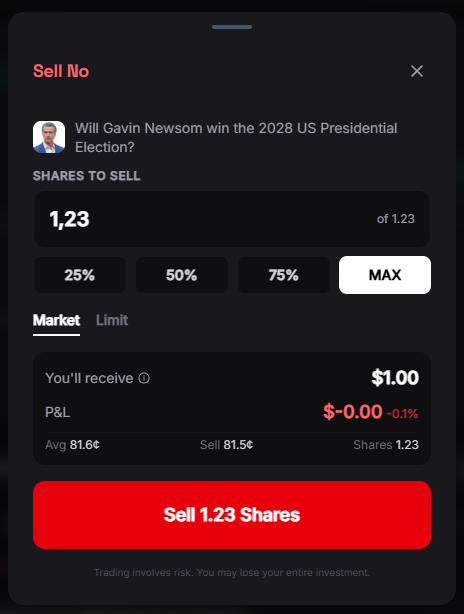
Enter the number of shares to sell, or use the quick buttons:
* **25%** / **50%** / **75%** / **100%** of your position
* Or type a custom amount
* **Market** (default) — sells instantly at best bid. Recommended for most cases.
* **Limit** — set your own price. Better price but may not fill.
Click **Sell**. USDC arrives in your wallet within seconds.
 ### From Telegram
Send `/positions` to [@FrenFlowBot](https://t.me/FrenFlowBot).
Select the position you want to sell.
Tap **25%**, **50%**, **75%**, or **100%** to sell that portion at market price.
### From Telegram
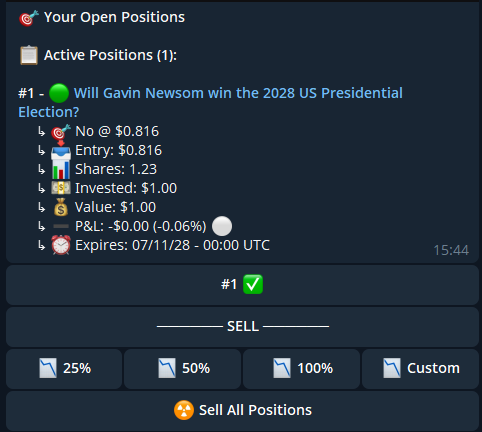
Send `/positions` to [@FrenFlowBot](https://t.me/FrenFlowBot).
Select the position you want to sell.
Tap **25%**, **50%**, **75%**, or **100%** to sell that portion at market price.
 ### Sell All
Want to close everything at once?
* **Web:** Portfolio → Positions → click **Sell All** at the top
* **Telegram:** `/positions` → tap **Sell All**
Each position is sold at market price. You'll see a summary of successes and any failures.
Sell All uses market orders. In low-liquidity markets you may get worse prices. For large positions, consider selling individually.
## Redeeming Winning Positions
When a market resolves and you won, your shares are worth \$1.00 each.
### Auto-Redeem (Recommended)
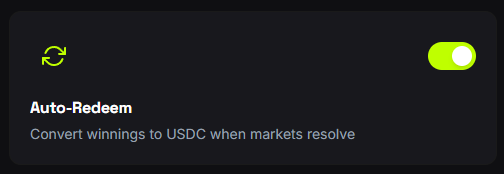
Turn on auto-redeem and never worry about it:
1. Go to **Settings → Trading**
2. Enable **Auto-Redeem**
3. FrenFlow collects your winnings automatically when markets resolve
### Sell All
Want to close everything at once?
* **Web:** Portfolio → Positions → click **Sell All** at the top
* **Telegram:** `/positions` → tap **Sell All**
Each position is sold at market price. You'll see a summary of successes and any failures.
Sell All uses market orders. In low-liquidity markets you may get worse prices. For large positions, consider selling individually.
## Redeeming Winning Positions
When a market resolves and you won, your shares are worth \$1.00 each.
### Auto-Redeem (Recommended)
Turn on auto-redeem and never worry about it:
1. Go to **Settings → Trading**
2. Enable **Auto-Redeem**
3. FrenFlow collects your winnings automatically when markets resolve
 ### Manual Redeem
A green **Redeem** banner appears at the top of your Positions page when you have redeemable positions.
Click **Redeem** on individual positions, or **Redeem All** to collect everything at once.
Redemption takes 5–30 seconds. Your balance updates once the transaction confirms.
### Manual Redeem
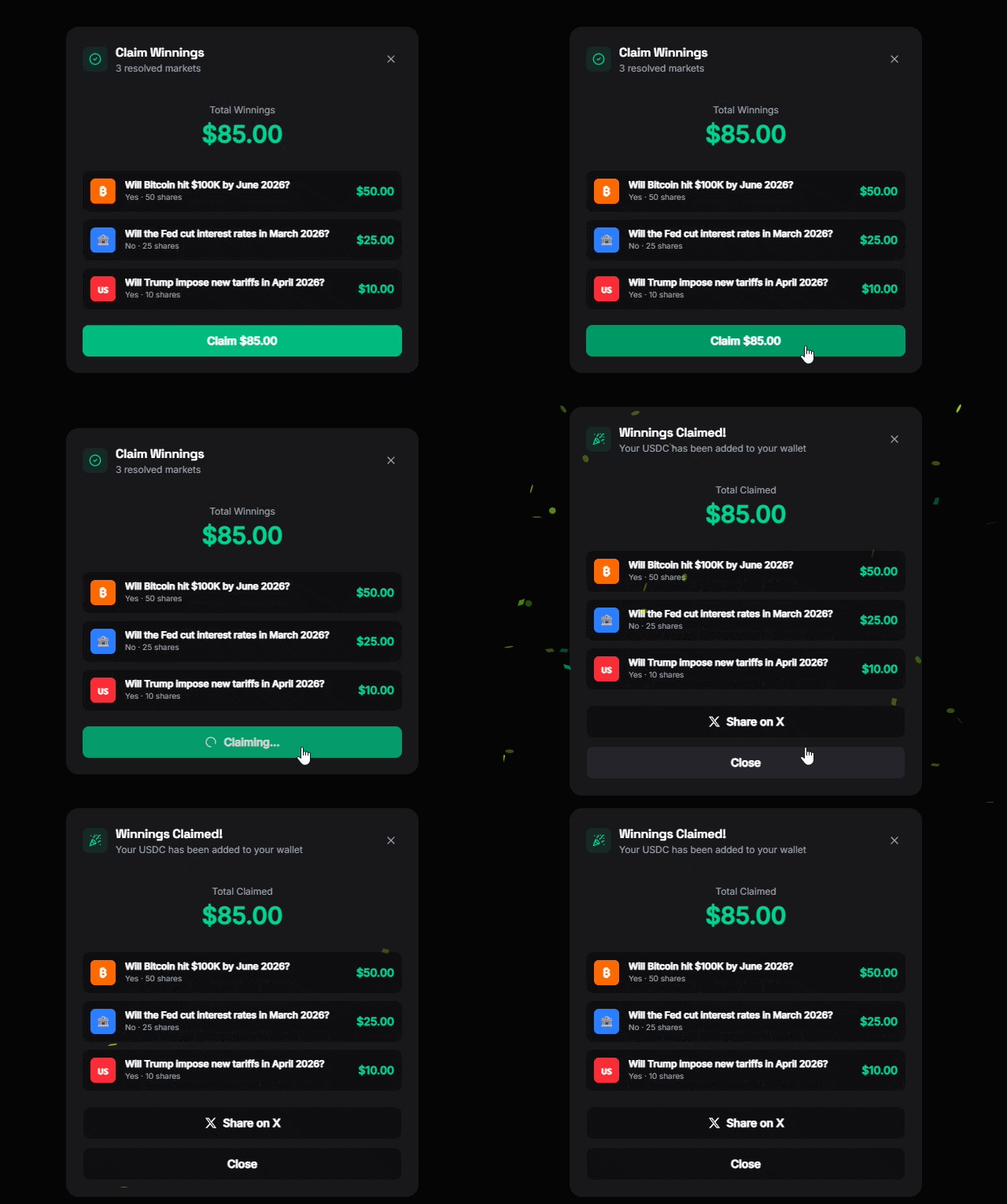
A green **Redeem** banner appears at the top of your Positions page when you have redeemable positions.
Click **Redeem** on individual positions, or **Redeem All** to collect everything at once.
Redemption takes 5–30 seconds. Your balance updates once the transaction confirms.
 Lost a position? No action needed — losing shares (worth \$0) disappear automatically after the market resolves.
## Common Issues
If the market is near resolution (price at \~\$1.00), you can't sell — the orderbook has closed. Wait for the market to resolve and redeem instead.
No buyers at that price. For market sells, this means zero liquidity. Try again later or wait for resolution.
The market may still be settling or under [UMA dispute](/uma/overview). Check back in a few minutes. If it persists, the outcome is being voted on.
It can take a few seconds for the UI to update. Refresh the page. If it persists after 30 seconds, the sell may have partially filled — check your trade history.
Lost a position? No action needed — losing shares (worth \$0) disappear automatically after the market resolves.
## Common Issues
If the market is near resolution (price at \~\$1.00), you can't sell — the orderbook has closed. Wait for the market to resolve and redeem instead.
No buyers at that price. For market sells, this means zero liquidity. Try again later or wait for resolution.
The market may still be settling or under [UMA dispute](/uma/overview). Check back in a few minutes. If it persists, the outcome is being voted on.
It can take a few seconds for the UI to update. Refresh the page. If it persists after 30 seconds, the sell may have partially filled — check your trade history.