> ## Documentation Index
> Fetch the complete documentation index at: https://docs.frenflow.com/llms.txt
> Use this file to discover all available pages before exploring further.
# Set Up Price Alerts
> Step-by-step guide to setting prediction market price alerts on FrenFlow. Get notified via web or Telegram when prices hit your target.
 ## Why Price Alerts?
You can't watch every market 24/7. Price alerts let you set a target and walk away — FrenFlow notifies you when the probability hits your number, so you never miss an entry or exit.
## Setting an Alert (Web)
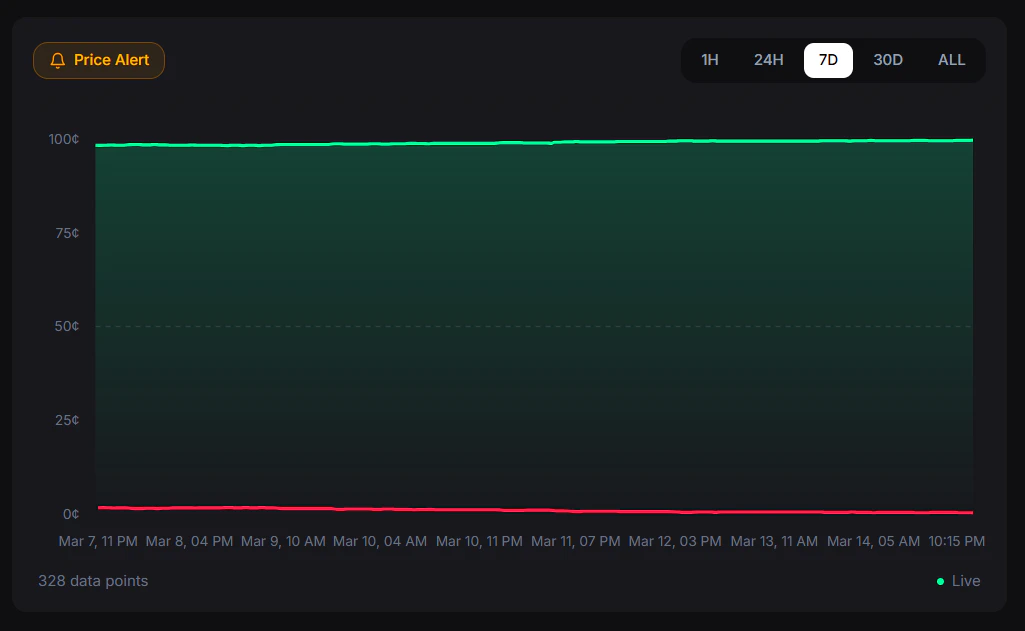
Go to any market detail page.
You'll find it near the market title or in the trading panel.
Select **Yes** or **No** — which side are you watching?
* **Above** — Alert when price goes above your target (e.g., "alert me when Yes goes above 75¢")
* **Below** — Alert when price drops below your target (e.g., "alert me when Yes drops below 30¢")
Enter your price (1¢ to 99¢). This is the trigger point.
The alert is active. You'll be notified when the price hits your target.
## Why Price Alerts?
You can't watch every market 24/7. Price alerts let you set a target and walk away — FrenFlow notifies you when the probability hits your number, so you never miss an entry or exit.
## Setting an Alert (Web)
Go to any market detail page.
You'll find it near the market title or in the trading panel.
Select **Yes** or **No** — which side are you watching?
* **Above** — Alert when price goes above your target (e.g., "alert me when Yes goes above 75¢")
* **Below** — Alert when price drops below your target (e.g., "alert me when Yes drops below 30¢")
Enter your price (1¢ to 99¢). This is the trigger point.
The alert is active. You'll be notified when the price hits your target.
 ## Setting an Alert (Telegram)
From the bot:
```
/alerts — View your active alerts
```
You can also create alerts inline when viewing any market in the bot — tap the alert button, select outcome, condition, and price.
## Where You'll Be Notified
| Channel | How |
| ------------ | ------------------------------------------------------------ |
| **Web** | Browser push notification (requires notification permission) |
| **Telegram** | Direct message from the FrenFlow bot |
Both channels fire simultaneously if you have Telegram linked.
## Alert Limits
| Rule | Value |
| --------------------- | --------------------- |
| **Max active alerts** | 5 per user |
| **Price range** | 1¢ to 99¢ |
| **Conditions** | Above or below target |
## Example Strategies
You think a market is overvalued at 80¢. Set an alert for **Yes below 60¢** — when the price drops to your target, you get notified and buy at a better entry.
You bought Yes at 40¢. Set an alert for **Yes above 70¢** — when the price hits your target, sell and lock in profit.
You hold Yes but want to hedge. Set an alert for **No below 20¢** — if No gets cheap, you can buy it as insurance.
Not ready to trade yet? Set alerts at key price levels to follow a market passively until you see the right entry.
## Managing Alerts
| Action | Web | Telegram |
| --------------- | ------------------------- | ----------------------------------- |
| **View active** | Alerts page | `/alerts` |
| **Delete** | Click remove on the alert | Tap delete button |
| **Create new** | Alert icon on any market | Alert button on market or `/alerts` |
You only have 5 alert slots. Delete alerts that have fired or that you no longer need to free up space for new ones.
## Setting an Alert (Telegram)
From the bot:
```
/alerts — View your active alerts
```
You can also create alerts inline when viewing any market in the bot — tap the alert button, select outcome, condition, and price.
## Where You'll Be Notified
| Channel | How |
| ------------ | ------------------------------------------------------------ |
| **Web** | Browser push notification (requires notification permission) |
| **Telegram** | Direct message from the FrenFlow bot |
Both channels fire simultaneously if you have Telegram linked.
## Alert Limits
| Rule | Value |
| --------------------- | --------------------- |
| **Max active alerts** | 5 per user |
| **Price range** | 1¢ to 99¢ |
| **Conditions** | Above or below target |
## Example Strategies
You think a market is overvalued at 80¢. Set an alert for **Yes below 60¢** — when the price drops to your target, you get notified and buy at a better entry.
You bought Yes at 40¢. Set an alert for **Yes above 70¢** — when the price hits your target, sell and lock in profit.
You hold Yes but want to hedge. Set an alert for **No below 20¢** — if No gets cheap, you can buy it as insurance.
Not ready to trade yet? Set alerts at key price levels to follow a market passively until you see the right entry.
## Managing Alerts
| Action | Web | Telegram |
| --------------- | ------------------------- | ----------------------------------- |
| **View active** | Alerts page | `/alerts` |
| **Delete** | Click remove on the alert | Tap delete button |
| **Create new** | Alert icon on any market | Alert button on market or `/alerts` |
You only have 5 alert slots. Delete alerts that have fired or that you no longer need to free up space for new ones.