> ## Documentation Index
> Fetch the complete documentation index at: https://docs.frenflow.com/llms.txt
> Use this file to discover all available pages before exploring further.
# Getting Started with FrenFlow
> Complete setup guide for FrenFlow. Sign up, enable trading, fund your wallet, and place your first prediction market trade.
 ## Welcome to FrenFlow
This guide walks you through everything you need to go from zero to trading on prediction markets. Follow these steps and you'll be placing your first trade in under 5 minutes.
## Step 1: Create Your Account
Open [frenflow.com](https://frenflow.com) in your browser (desktop or mobile).
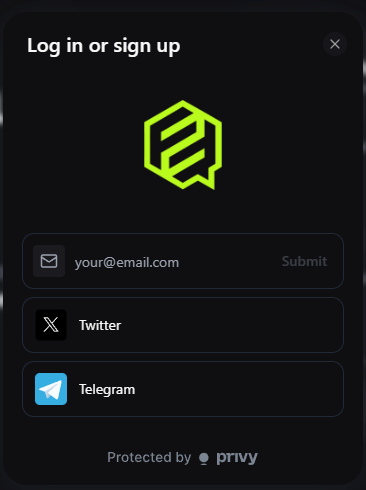
Click **Log In** and choose your preferred method:
* **Email** — Enter your email, receive a verification code
* **Google** — One-click sign-in with your Google account
* **Wallet** — Connect MetaMask, Rabby, or any Web3 wallet
* **X (Twitter)** — Sign in with your X account
* **Telegram** — Connect via Telegram
FrenFlow creates an embedded wallet for you on Polygon. No seed phrases, no MetaMask popups — it just works.
## Welcome to FrenFlow
This guide walks you through everything you need to go from zero to trading on prediction markets. Follow these steps and you'll be placing your first trade in under 5 minutes.
## Step 1: Create Your Account
Open [frenflow.com](https://frenflow.com) in your browser (desktop or mobile).
Click **Log In** and choose your preferred method:
* **Email** — Enter your email, receive a verification code
* **Google** — One-click sign-in with your Google account
* **Wallet** — Connect MetaMask, Rabby, or any Web3 wallet
* **X (Twitter)** — Sign in with your X account
* **Telegram** — Connect via Telegram
FrenFlow creates an embedded wallet for you on Polygon. No seed phrases, no MetaMask popups — it just works.
 Already have a Telegram account? You can also start from the [Telegram Bot](/guides/trading-from-telegram) instead.
## Step 2: Enable Trading
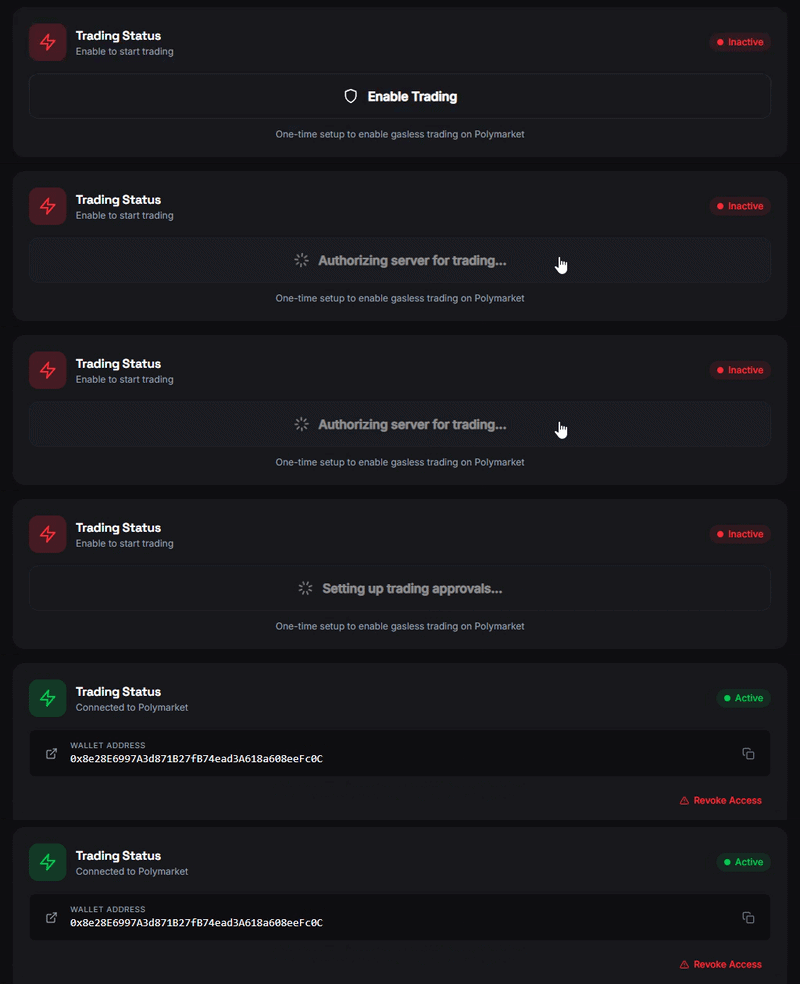
Before you can place any trade, you need to enable trading once:
1. Go to **Settings → Trading**
2. Click **Enable Trading**
3. Wait \~10 seconds for your on-chain credentials to be created
Already have a Telegram account? You can also start from the [Telegram Bot](/guides/trading-from-telegram) instead.
## Step 2: Enable Trading
Before you can place any trade, you need to enable trading once:
1. Go to **Settings → Trading**
2. Click **Enable Trading**
3. Wait \~10 seconds for your on-chain credentials to be created
 This is a one-time setup. After this, you can trade freely.
## Step 3: Fund Your Wallet
You need USDC to trade. FrenFlow supports deposits from 15+ chains.
1. Click on your **balance** in the header (or go to Wallet)
2. Copy your **deposit address**
3. Send **USDC** from any exchange or wallet to that address
4. Wait a few minutes for the deposit to arrive
Polymarket uses **USDC.e** on Polygon. If you deposit native USDC, use the **Swap** button on the wallet page to convert it to USDC.e.
## Step 4: Find a Market
Now the fun part. There are several ways to discover markets:
| Method | How |
| --------------- | ------------------------------------------------------ |
| **Browse** | Scroll the home page for trending and featured markets |
| **Search** | Use the search bar (Cmd/Ctrl + K) to find any topic |
| **Categories** | Filter by Crypto, Politics, Sports, etc. |
| **Leaderboard** | See what top traders are betting on |
| **Social Feed** | Check what your frens are trading |
## Step 5: Place Your First Trade
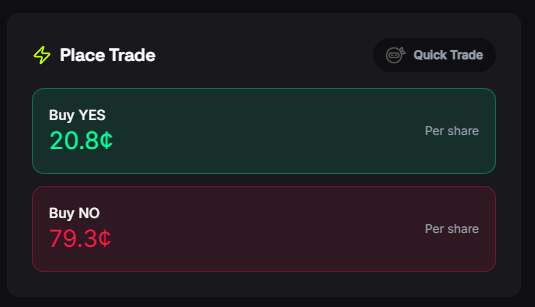
1. Click on any market to open it
2. Choose **Yes** or **No** based on your prediction
3. Enter the amount you want to spend (start small — \$5 is fine)
4. Click **Buy** to place a market order
5. Done! Check your position in **Portfolio → Positions**
This is a one-time setup. After this, you can trade freely.
## Step 3: Fund Your Wallet
You need USDC to trade. FrenFlow supports deposits from 15+ chains.
1. Click on your **balance** in the header (or go to Wallet)
2. Copy your **deposit address**
3. Send **USDC** from any exchange or wallet to that address
4. Wait a few minutes for the deposit to arrive
Polymarket uses **USDC.e** on Polygon. If you deposit native USDC, use the **Swap** button on the wallet page to convert it to USDC.e.
## Step 4: Find a Market
Now the fun part. There are several ways to discover markets:
| Method | How |
| --------------- | ------------------------------------------------------ |
| **Browse** | Scroll the home page for trending and featured markets |
| **Search** | Use the search bar (Cmd/Ctrl + K) to find any topic |
| **Categories** | Filter by Crypto, Politics, Sports, etc. |
| **Leaderboard** | See what top traders are betting on |
| **Social Feed** | Check what your frens are trading |
## Step 5: Place Your First Trade
1. Click on any market to open it
2. Choose **Yes** or **No** based on your prediction
3. Enter the amount you want to spend (start small — \$5 is fine)
4. Click **Buy** to place a market order
5. Done! Check your position in **Portfolio → Positions**
 ## What's Next?
Detailed walkthrough of the trading interface with tips for beginners.
Let top traders do the work. Learn how to set up copy trading.
Prefer Telegram? Set up the bot and trade from your chat.
Learn all the ways to earn FP, level up, and unlock rewards.
## What's Next?
Detailed walkthrough of the trading interface with tips for beginners.
Let top traders do the work. Learn how to set up copy trading.
Prefer Telegram? Set up the bot and trade from your chat.
Learn all the ways to earn FP, level up, and unlock rewards.