> ## Documentation Index
> Fetch the complete documentation index at: https://docs.frenflow.com/llms.txt
> Use this file to discover all available pages before exploring further.
# Follow a Leader — Copy Trading
> How to find and follow top prediction market traders on FrenFlow. Start copying trades automatically with one click.
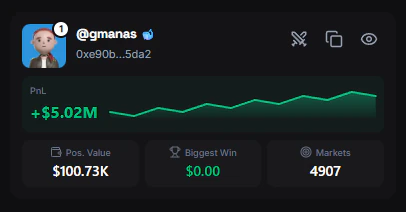 ## Finding Leaders
You can find traders to copy from several places:
* **[Leaderboard](/leaderboard/overview)** — Ranked by PnL, volume, win rate, and more
* **Trader Profiles** — Visit any trader's profile to see their full history
* **[Social Feed](/social/feed)** — See what traders your frens are copying
* **[Wallet Tracker](/wallet-tracker/overview)** — Track a wallet first, then decide to copy
## Start Copying
Click on any trader from the leaderboard or search by username/wallet address.
The **Copy Trader** button appears on their profile page (and in the sticky header when scrolling).
The Copy Trader modal opens. Set your:
* **Copy mode** — Fixed amount or percentage of balance
* **Amount** — How much per trade
* **Max per trade** — Safety cap
* **Sell settings** — How to handle when the leader sells
See [Copy Trading Settings](/copy-trading/settings) for a full breakdown of every option.
Click **Start Copying**. FrenFlow immediately begins monitoring the leader's trades.
## Managing Your Leaders
Once you're copying a trader, you can:
* **Edit settings** — Click the ⚙️ icon next to "Copying" on their profile to adjust your copy configuration
* **Pause/Resume** — Temporarily stop copying without losing your settings
* **Stop copying** — Click the "Copying" button on their profile to unfollow completely
When you stop copying, no new trades will be copied but your **existing positions remain open**. You can sell them manually from your [Portfolio](/portfolio/positions).
Stopping a copy does not close your positions. If you want to exit the positions the leader got you into, you need to sell them manually.
## From Telegram
You can find and copy traders directly from the Telegram bot:
* Browse the **leaderboard** inside Telegram to discover top traders
* Start copying directly from the bot — no need to switch to the website
```
/traders — Browse the leaderboard and copy traders
/follow @username — Start copying a trader
/unfollow @username — Stop copying
```
Settings are synced between web and Telegram — changes in one are reflected in the other.
## Finding Leaders
You can find traders to copy from several places:
* **[Leaderboard](/leaderboard/overview)** — Ranked by PnL, volume, win rate, and more
* **Trader Profiles** — Visit any trader's profile to see their full history
* **[Social Feed](/social/feed)** — See what traders your frens are copying
* **[Wallet Tracker](/wallet-tracker/overview)** — Track a wallet first, then decide to copy
## Start Copying
Click on any trader from the leaderboard or search by username/wallet address.
The **Copy Trader** button appears on their profile page (and in the sticky header when scrolling).
The Copy Trader modal opens. Set your:
* **Copy mode** — Fixed amount or percentage of balance
* **Amount** — How much per trade
* **Max per trade** — Safety cap
* **Sell settings** — How to handle when the leader sells
See [Copy Trading Settings](/copy-trading/settings) for a full breakdown of every option.
Click **Start Copying**. FrenFlow immediately begins monitoring the leader's trades.
## Managing Your Leaders
Once you're copying a trader, you can:
* **Edit settings** — Click the ⚙️ icon next to "Copying" on their profile to adjust your copy configuration
* **Pause/Resume** — Temporarily stop copying without losing your settings
* **Stop copying** — Click the "Copying" button on their profile to unfollow completely
When you stop copying, no new trades will be copied but your **existing positions remain open**. You can sell them manually from your [Portfolio](/portfolio/positions).
Stopping a copy does not close your positions. If you want to exit the positions the leader got you into, you need to sell them manually.
## From Telegram
You can find and copy traders directly from the Telegram bot:
* Browse the **leaderboard** inside Telegram to discover top traders
* Start copying directly from the bot — no need to switch to the website
```
/traders — Browse the leaderboard and copy traders
/follow @username — Start copying a trader
/unfollow @username — Stop copying
```
Settings are synced between web and Telegram — changes in one are reflected in the other.